Add meta description
The metadata of a web page is data that provides a description of that specific web page, for example a description about the content of the page (what is the web page about?). Search engines such as Google use this metadata to quickly and easily assess what the page is about.
The Meta description is considered the most important metadata of a web page. Google tends to adopt this description and display it in search results (see below)
Example of a 'meta description' that Google adopts in search results:

It is important that each webpage has its own and unique 'meta description'.
Modify meta description in Joomla
You can set the 'meta description' in Joomla in various places: at the menu item, at an article, at a category, etc.
Generally, setting the 'meta description' at an article is a great option. It is then used both when the article is shown as a 'web page' and when it is shown as a blog article.
Note! In an existing site, there may already be a meta description created under the menu item linked to your article. In that case, you will have to delete the meta description under the menu item. (Because it takes precedence over that of the article)
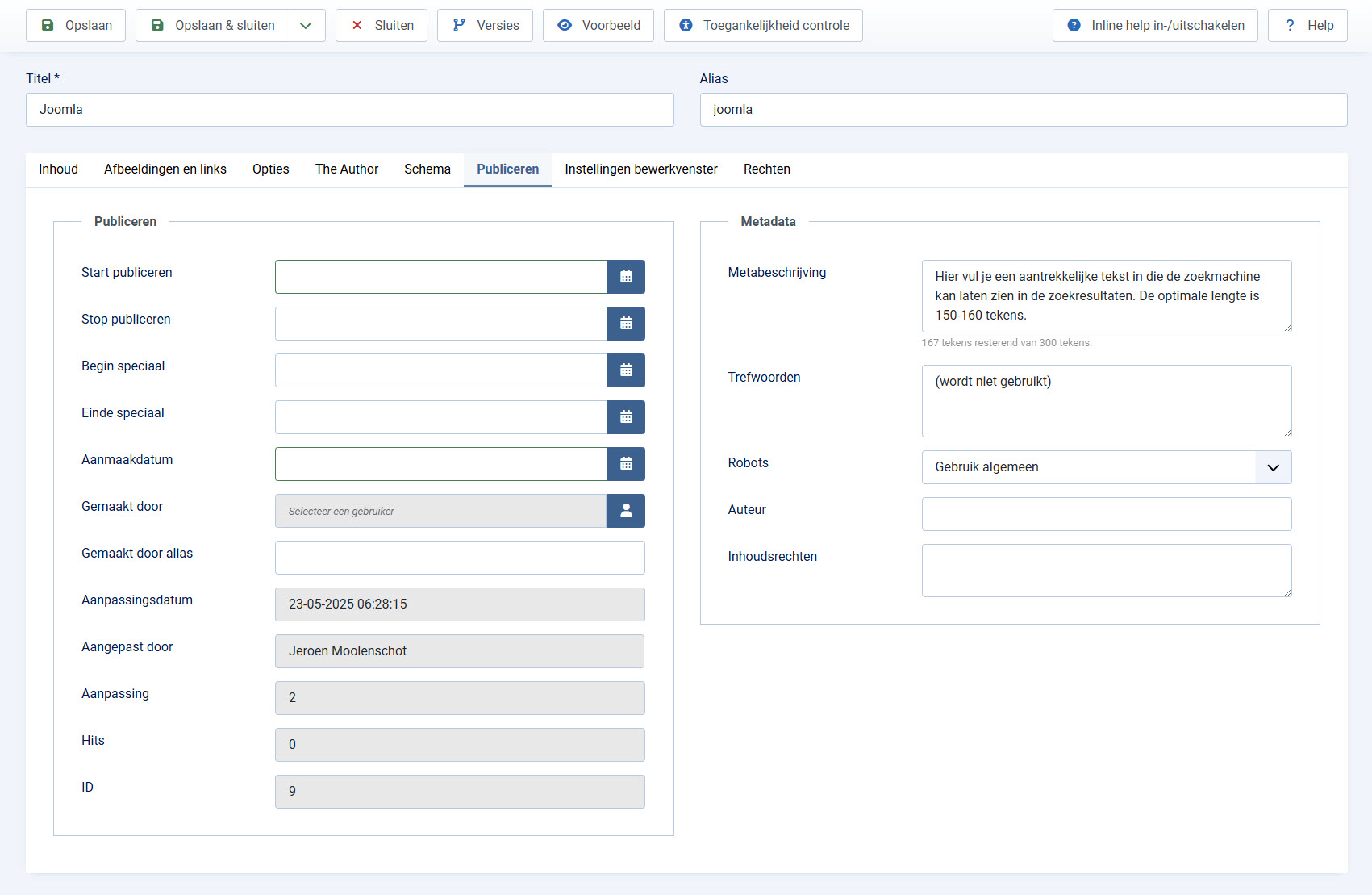
Set meta description:
Open the article whose meta description you want to set
1. click on the"Publish" tab
2. Enter the text in the"Meta description" box.
The meta description of a page is often adopted by search engines in search results but there is only a limited space for it, so for an optimal description, use a maximum of 150-160 characters. (In Joomla, you can put a maximum of 300 characters and a counter at the bottom of the field will tell you how many characters you have left). Too short a meta description can also cause the meta description not to be adopted.